
Most teams have encountered genuinely confusing data visualizations: charts that demand a second look, an explanation or a frustrated question, “What the heck am I even looking at?”
A bad chart does more than look untidy. It can confuse people, misrepresent the numbers and sometimes create real risk. When a business relies on those visuals to make decisions, unclear reporting can lead to wasted investment, poor judgment and damage to its credibility.
If crowded bar charts, separated pie slices and tangled line graphs are getting in the way of understanding, it is time to make the visuals work harder.
This guide examines practical examples of bad data visualization, explains what makes them fail and shows how to improve the design.
Start with the decision the chart needs to support.
Why Unclear Data Visuals Become a Business Problem
Before reviewing the examples, consider what is at stake when a chart is difficult to interpret.
The Visual Determines How the Data's Story Is Understood
Numbers need context before they become useful information. Visualization supplies that context, but a poorly designed chart can distort it. Like a book with its chapters in the wrong order, the information may be present while the story becomes difficult to follow.
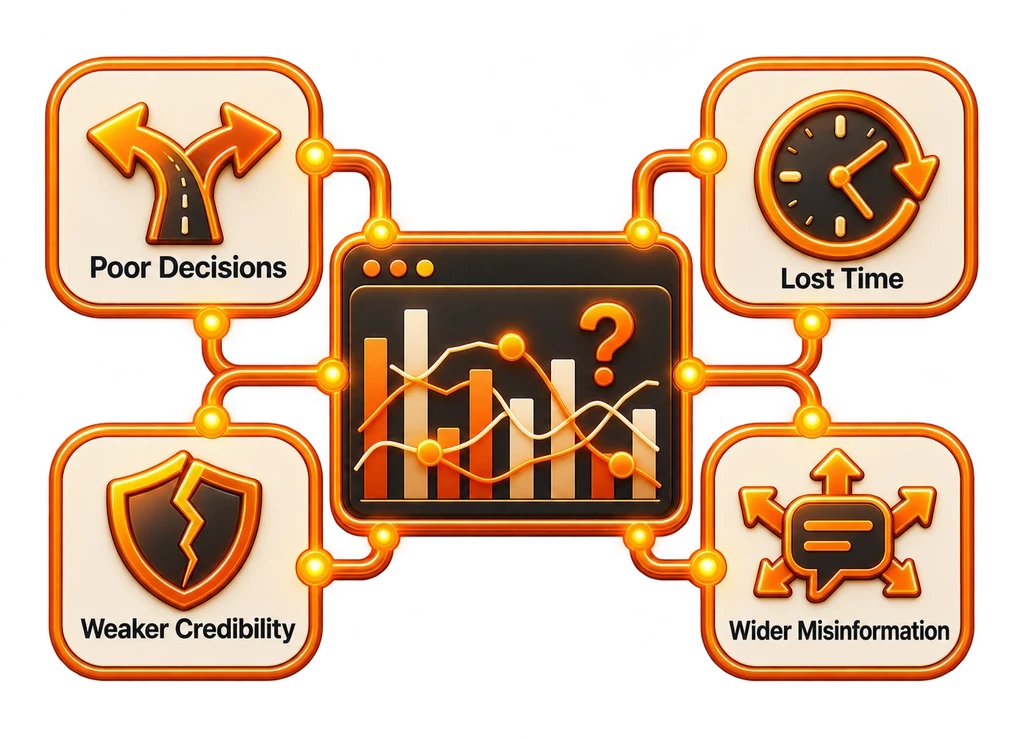
The Risks Behind a Misleading Chart
- Poor Decisions: People use charts to choose an action. A misleading comparison can send an entire project in the wrong direction.
- Lost Time: When a visual needs repeated explanation, the team spends longer decoding it than using the information.
- Weaker Credibility: Readers can lose confidence in the reports and the people presenting them.
- Wider Misinformation: A public-facing chart can spread quickly even when the attention is focused on what it gets wrong.
The source research highlights the problem:
85% of decision-makers consider visual storytelling important for understanding data, yet 73% report having misunderstood a chart at least once.
Source: Accenture Research, 2024
10+ Bad Data Visualization Examples and the Lessons Behind Them
These familiar mistakes show how a seemingly small design choice can get between the reader and the meaning.
1. A Pie Chart With Too Many Slices
The Problem: More Categories Than the Format Can Explain
Why It Confuses Readers:
- A pie chart is most useful when it compares a small set of categories.
- With 10+ slices, especially similarly sized ones, the differences become difficult to read.
A Clearer Approach:
- Switch to a bar chart so people can compare the values more easily.
2. 3D Effects That Distort the Comparison
The Problem: Adding Depth to a Bar Chart
A 3D treatment can look decorative, but it makes the actual comparison harder rather than more useful.
Why It Confuses Readers:
- Perspective changes how the height or length of a bar appears.
- The reader has a harder time judging values accurately.
- Depth and shadows introduce visual distortion.
A Clearer Approach:
- Use a flat 2D chart that puts the values, not the effect, at the center of attention.
3. A Y-Axis That Exaggerates the Difference
The Problem: Cropping the Scale to Amplify a Small Change
| Year | Revenue (in $M) |
|---|---|
| 2022 | 95 |
| 2023 | 97 |
If the Y-axis begins at 90 rather than 0, the change between these figures can appear far larger than it really is. The revenue has not doubled, even if the visual seems to suggest it.
Why It Confuses Readers:
- The starting point of the scale changes the apparent size of the difference.
- People may assume the visible gap represents the true relative change.
A Clearer Approach:
- Begin the Y-axis at zero unless there is a clear, justified reason to use another scale.
- Label the axes so the reader can understand the comparison.
4. Too Many Colors Competing for Attention
Color can establish meaning and priority. When every bar gets a different bright neon treatment, that purpose disappears into a distracting mix.
Why It Confuses Readers:
- An excess of colors removes the visual hierarchy.
- Color becomes decoration rather than a way to explain a meaningful difference.
A Clearer Approach:
- Keep the palette within a consistent color family.
- Reserve contrasting color for the point that needs emphasis.
5. Pie Slices Pulled Away From the Whole
Separating pieces of a pie chart can make a simple proportion harder to judge.
Why It Confuses Readers:
- Exploded slices weaken the visual relationship between each part and the whole.
- A separated slice can attract attention simply because of its position, not its significance.
A Clearer Approach:
- Use labels or a purposeful color choice to emphasize a slice without moving it out of the chart.
6. Too Many Lines on One Graph
Five or more lines crossing repeatedly can turn a useful trend view into a tangle the audience has to unravel.
Why It Confuses Readers:
- Too many series create more visual information than the graph can comfortably communicate.
- Repeated intersections make each trend difficult to follow.
A Clearer Approach:
- Divide the data into several smaller graphs.
- Alternatively, let viewers show or hide individual lines through an interactive dashboard.
7. Mixing Chart Types Without a Clear Purpose
Combining a bar chart, pie chart and scatter plot simply because the tool allows it does not make the message clearer.
Why It Confuses Readers:
- The audience has to interpret several visual systems at once.
- The chart lacks one coherent point.
- The presentation can suggest uncertainty about what the data means.
A Clearer Approach:
- Choose a single visualization that fits the question the data is meant to answer.
8. Leaving Out Labels and Legends
Even a well-chosen chart fails when readers cannot tell what its elements represent.
Why It Confuses Readers:
- Values and categories become difficult to interpret.
- Missing explanation leaves room for incorrect assumptions.
A Clearer Approach:
Make sure the chart includes:
- Axis labels
- A legend where needed
- A title that describes the point
- An identifiable data source
9. Dual Y-Axes That Suggest the Wrong Relationship
Two vertical axes can display different units, such as sales and temperature. That approach sometimes works, but it can also imply a relationship the scales do not support.
Why It Confuses Readers:
- Readers can easily draw the wrong conclusion.
- The two scales often do not align in a meaningful way.
A Clearer Approach:
- Separate the charts, or explain any correlation clearly through annotations.
10. Circular Bars That Make Lengths Hard to Judge
A conventional bar chart makes comparison straightforward. Wrapping the bars into circles often adds complexity without making the data more useful.
Why It Confuses Readers:
- The relative bar lengths are harder to compare.
- Labels become more difficult to position and read.
- The decorative effect adds little informational value.
A Clearer Approach:
- Keep the familiar rectangular bar format.
- For a different treatment, consider a bullet chart or lollipop chart that still supports comparison.
11. A Headline Number With No Context
A chart might announce “60% growth” without explaining what grew, which period it covers or the baseline used for comparison.
Why It Confuses Readers:
- The audience has to guess what the result means.
- The missing context may conceal a misleading claim.
A Clearer Approach:
- Add the dates, units, comparison points and sources needed to interpret the result.
Compare Weak and Strong Chart Practices
| Design Element | What Gets in the Way | What Helps the Reader |
|---|---|---|
| Chart Type | Complex or unrelated to the question | Suited to the data and its purpose |
| Color Use | Unrelated colors used indiscriminately | A restrained palette with meaningful roles |
| Axis and Labels | Absent or likely to mislead | Clearly labeled and consistent |
| 3D Effects | Added as a decorative effect | Omitted unless genuinely necessary |
| Number of Data Series | Too many competing series | Simplified or controlled interactively |
| Chart Clarity | Busy or unclear | Straightforward to interpret |
| Context | No explanation provided | Sources, dates and measures supplied |
A Practical Process for Clearer Data Visualization
1. Start With the Reader
- Technical readers may need a more detailed visual explanation.
- Executives usually need a concise view of the bigger picture.
2. Choose the Format for the Question
| What You Need to Show | Suitable Chart Type |
|---|---|
| Proportions of a whole | Pie chart (maximum five slices) |
| Differences between categories | Bar or column chart |
| A trend over time | Line chart |
| The distribution of values | Histogram or box plot |
| Relationships between variables | Scatter plot |
3. Keep the Design Consistent
- Limit the palette to two or three colors.
- Choose type that remains easy to read.
- Leave enough space for the information to breathe.
4. Make the Takeaway Clear
- What is the main point the reader should understand?
- What action should the information help them take?
The Reputational Cost of a Public Chart
Confusing charts do not always stay inside a meeting room. They can spread through Twitter, Reddit and LinkedIn, attracting thousands of critical comments instead of communicating the intended message.
That is not the kind of “viral” attention a business wants.
Make Clarity the Business Standard
Poor visualization is more than a design problem; it creates a business risk. For marketers, analysts and company leaders, a clear chart helps determine whether an important message is understood or misread.
Before selecting "Insert Chart," pause and ask:
“Will this actually help people understand the data, or just make them want to close the tab?”
Choose the format deliberately, and make the visual serve a purpose.
Want reporting that looks clear and supports action? Let the team at BrandBlasting help shape your dashboards and business insights. Specialist support helps the data communicate its intended meaning without unnecessary visual clutter.
FAQs: Recognizing and Improving Bad Charts
1. Which visualization mistake causes the most trouble?
Misleading scales are a common problem, particularly a Y-axis that does not begin at zero. The result can exaggerate a difference and give the wrong impression of a trend.
2. Can a chart contain too much color?
Yes. Excess color becomes noise. Use a consistent palette and introduce contrast only where it highlights a meaningful point.
3. When is a pie chart the wrong choice?
Use another format when:
- There are more than five categories
- Values differ only slightly
- The goal is a direct side-by-side comparison
4. Why do 3D charts make interpretation harder?
3D effects change how values appear and make accurate comparison more difficult. They introduce complexity without necessarily improving understanding.
5. Which tools support clearer visualizations?
Options to consider include:
- Tableau
- Power BI
- Looker Studio
- Flourish
- Datawrapper